|
|
| |
..... |
|
|
Limitless
Possibilities |
|
Shop Now |
|
iRecord
Pro uses standard audio and video input connectors, and supports
NTSC, PAL and SECAM video standards making it compatible with almost any
video or audio device manufactured in the last forty years. Out of the
box iRecord Pro will record to hundreds of portable devices, USB flash
drives and even USB hard drives. The applications for iRecord Pro are
almost limitless. |
|
|
| |
|
Time Shifting Live Encoding Place Shifting Legacy Capture
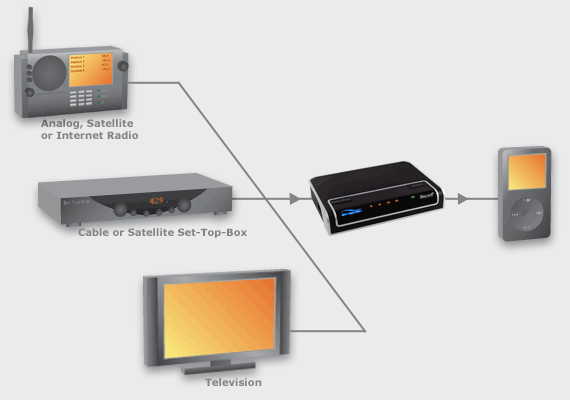
Watch television and listen
to radio broadcasts whenever you want
iRecord Pro can record audio from any device that has line out audio
jacks, and video from any device with either a composite video or S-video
output. This makes iRecord Pro compatible with thousands of devices
including televisions, cable and satellite set-top boxes, terrestrial,
satellite and internet radio.
When recording to an Apple iPod you can use iRecord Desktop to set up a
schedule of one or more programs for completely unattended recording.
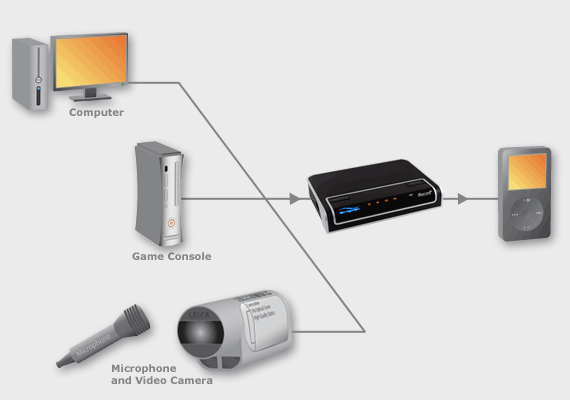
Capture
live events so that you can relive them or share them with others
Just connect iRecord to a
video camera to immediately create high quality video files that you can
watch on a mobile device, burn to a CD/DVD, or upload to the Internet. There
is no tedious encoding process to go through as iRecord encodes into the
state of the art H.264 video format in real-time. The result is stunning
picture quality with none of the dropped frame issues that make digital
video stutter or motion artifacts that blur the picture. iRecord is a great
solution for crystal clear video blogs, or making lectures and corporate
presentations immediately available to a wide audience.
iRecord can connect to
the composite or S-video output from your computer so that you can easily
create self-running product demonstrations or educational videos. iRecord
can also capture game play from the leading game consoles so that you can
demonstrate your mastery to friends.
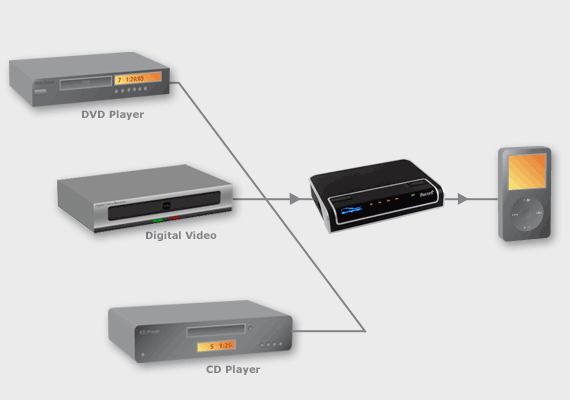
Enjoy
your movies and listen to your music wherever you are.
Connect iRecord to your
digital video recorder, DVD player, HD DVD® player and Blu-ray® player to
record crystal clear videos with small file sizes. Or connect iRecord to
your CD Player or home audio system to record music in high quality MP3 or
AAC formats at bit rates up to 320kbps. iRecord Pro also support lossless
audio formats such as WAV and FLAC.
Copyright Notice
In accordance with copyright laws, copyrighted audio and video may not be used for purposes
other than non-commercial personal enjoyment without the permission from the
copyright holder. It is illegal to record from DVDs or other copyrighted works that you do
not own. Please do not duplicate copyrighted works if you do not own the
original. iRecord prevents the duplication of analog video protected with the Macro
vision AGC system and will not decrypt or transcode digital media protected
with digital rights management technology. Copyright laws vary from country to country,
and you should check your
country's copyright laws before recording any copyrighted works.
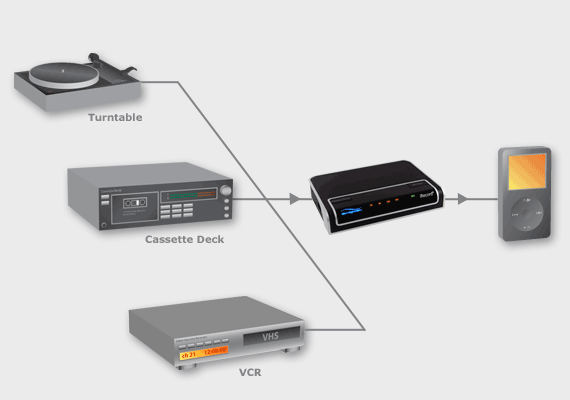
Digitize your old movies and recordings in one easy step
iRecord lets you capture and
archive precious family movies, audio recordings, out of print vinyl albums
and audio cassettes. Simply connect your turntable, tape deck, VCR or
camcorder to iRecord and create digital audio and video files that you can
archive to CD or DVD, or play on the device of your choice.
|
|
| |
| |
| |
| |
|
| |
|
| |
|
| |
| |
| |
| |
| |
| |
| |
| |
| |
| |
| |
| |
| |
| |
| |
| |
|
| |
|
| |
|
| |
| |
| |
| |
| |
| |
| |
| |
| |
| |
| |
| |
|
|
|